Color
Named palettes plus New colors on the same board. Hover to try. Click to keep. Pencil edits a saved palette.
Linux desk
One zip is the look for the Linux desk and for vibewallet.net. Generate it or hit Download zip on a Themes card. Import the same file on the desk or on the site: Options → Theme → New theme. Mix Color and Icon color on the desk after if you want.
Download looks · Options · Sizes · Zip · theme.txt · AI prompt · Import
Left menu on the Linux desk. Themes is the whole look — colors, icon wash, and pictures together. Hover a card to try it. Click to keep it. New theme imports a zip — grab one from the theme board or make your own. Download zip on a card writes that pack out, including website pictures.
Customize is Color and Icon color. Open it to mix:
Named palettes plus New colors on the same board. Hover to try. Click to keep. Pencil edits a saved palette.
Wash on Wallet, Swap, Staking, and the other app marks. Original restores the PNGs. A hex or Accent tints them. Coin logos never wash.
Under Themes: which pack you are on, or Mixed look if Color / icons / art disagree.
Pictures are not a separate zip lane. They live on the pack. After a pack is on, Customize can still change Color or Icon color without replacing the art.
Three pieces travel in one zip, then you can split them in Customize:
Background, panels, text, accent (buttons), highlight (links and mint).
Nav and action marks. icons: none keeps the original PNGs, icons: accent follows the pack, or a hex. Coin logos do not tint.
Desk: 78px bar, Swap card, unlock. Website: top bar, Swap header, sidebar, and page headers (Explore, Wallet, P/L, Options). Same zip.
PNG is the safe default. JPG and WEBP also import. The desk resizes to cover these frames, so start at the size. Keep the subject in the vertical center of the strip — the live bar is 78px tall and crops the rest.
| File | Pixels | Required | Where it shows |
|---|---|---|---|
strip.png |
1280 × 268 | Yes for a named pack | Every 78px top bar |
hero.png |
1280 × 720 | No | Swap, unlock, taller sheets |
thumb.png |
640 × 268 | No | The card face in Options |
web-bar.png |
1920 × 72 | No | Website top bar. Desk ignores it. |
web-swap.png |
1280 × 108 | No | Website Swap header. Desk ignores it. |
web-side.png |
280 × 900 | No | Website sidebar. Desk ignores it. |
web-page.png |
1280 × 78 | No | Website Explore, Wallet, P/L, Options headers. Desk ignores it. |
One PNG is enough if you skip theme.txt — the desk copies it to strip and hero, and colors stay as they are. A full look still wants the recipe file.
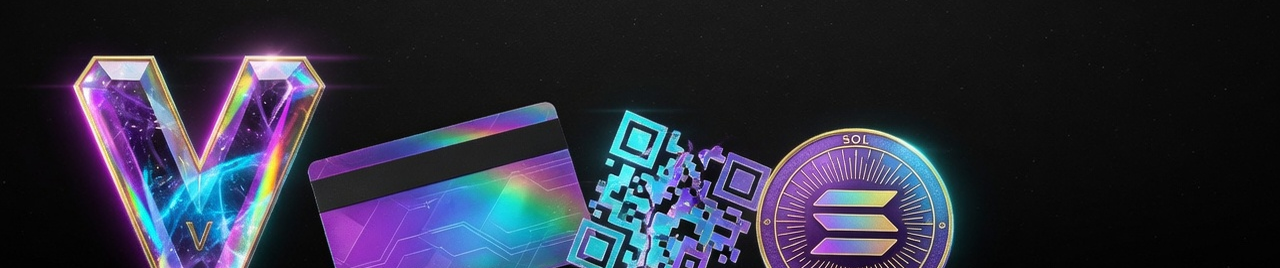
A normal .zip. Files can sit at the root or in one folder — the desk reads the filename, not the path. Max 40 MB. Max 80 files. Each image under 8 MB.
my-theme.zip
├── theme.txt      full look (skip this for pictures only)
├── thumb.png      optional card face
├── strip.png      1280 × 78 generated (official 1280 × 268)
├── hero.png       1280 × 132 generated (official 1280 × 720)
├── swap.png       440 × 108 desk Swap card
├── web-bar.png    1920 × 72 website top bar
├── web-swap.png   1280 × 108 website Swap header
├── web-side.png   280 × 900 website sidebar
└── web-page.png   1280 × 78 website page headers
theme.txt or vibe-theme.txt makes a Themes card (colors + icon wash + pictures).banner.png / header.png as strip, cover.png / backdrop.png as hero, thumbnail.png / preview.png as thumb.web-bar.png, web-swap.png, web-side.png, and web-page.png are for vibewallet.net. The desk keeps them in the pack and does not paint them.Plain text. One key per line. # comments are fine. Name is 40 characters max. Colors are #rrggbb.
name: Night Market
bg: #0c0814
panels: #181022
text: #f4e8ff
accent: #e84ad8
highlight: #b8ff3c
icons: #e84ad8| Key | Also accepted | What it paints |
|---|---|---|
name |
title |
Card label in Options |
bg |
background |
App chrome and empty space |
panels |
surface |
Cards, sheets, lists |
text |
Primary labels. Must read on bg |
|
accent |
Buttons and selection | |
highlight |
accent2 |
Links, mint, success |
icons |
icon, iconcolor |
Nav wash. none / omit = original PNGs. accent follows the pack accent. Or a hex. |
Light looks: pale bg, white panels, dark text. Dark looks: invert that. If buttons are a bright accent, keep label ink dark so they stay readable.
Any editor that exports PNG. Photopea in the browser, Krita, GIMP, Figma. Then a terminal:
magick source-wide.png -resize 1280x268^ -gravity center -extent 1280x268 strip.png
magick source-tall.png -resize 1280x720^ -gravity center -extent 1280x720 hero.png
magick strip.png -resize 640x268^ -gravity center -extent 640x268 thumb.png
zip -r night-market.zip theme.txt thumb.png strip.png hero.png
convert works in place of magick on older ImageMagick. On Debian: sudo apt install imagemagick zip.
thumb.png.Paste this into Grok, ChatGPT, Claude, or whatever you use. Swap the look description. Tell it to give you these files, not a screenshot of a fake Settings panel.
Build a VIBE Wallet theme pack I can import as a zip on the Linux desk and on vibewallet.net.

Output files, named exactly:
- theme.txt
- strip.png — 1280 × 78 px PNG, sRGB (official packs may use 1280 × 268)
- hero.png — 1280 × 132 px PNG, sRGB (official packs may use 1280 × 720)
- swap.png — 440 × 108 px PNG, sRGB
- thumb.png — 640 × 84 px PNG, sRGB (a crop of the strip is fine)
- web-bar.png — 1920 × 72 px PNG, sRGB (website top bar)
- web-swap.png — 1280 × 108 px PNG, sRGB (website Swap header)
- web-side.png — 280 × 900 px PNG, sRGB (website sidebar)
- web-page.png — 1280 × 78 px PNG, sRGB (website Explore / Wallet / P/L / Options headers)

Look I want:
[describe the vibe in 2–4 sentences. Example: rainy neon alley, magenta spray paint, lime drips, dark wet brick. Or: pale ice glass, white cards, mint bokeh.]

Rules for the art:
- strip.png is shown in a 78px-tall bar. Keep the subject in the vertical center. No tiny text. No UI chrome, no fake window, no other wallet logos.
- hero.png can be a wider scene of the same world. Same palette.
- Original art only. No copyrighted characters.

theme.txt format (plain text, these keys):
name: [short name, max 40 chars]
bg: #rrggbb
panels: #rrggbb
text: #rrggbb
accent: #rrggbb
highlight: #rrggbb
icons: accent    (or none, or a #rrggbb hex)

Color rules:
- bg = app chrome. panels = cards. text must contrast with bg.
- accent = buttons. highlight = links / success.
- icons tints the app nav marks (not coin logos). Use a hex that reads on bg, accent, or none.
- If the look is light, use a pale bg, white panels, dark text. If dark, invert that.

Also print a one-line zip command:
zip -r my-theme.zip theme.txt thumb.png strip.png hero.png swap.png web-bar.png web-swap.png web-side.png web-page.png

Do not invent extra files. Do not include keys, seeds, or a readme unless I ask.
Download the PNGs and save theme.txt next to them. Zip. Import. If the model only returns a single wide image, use that as strip.png and skip hero — or run the ImageMagick lines above.
python3 -m vibe_wallet from source, or the installed vibe-wallet command.
.zip. The desk shows the 78px top-bar crop and the Swap hero, plus size notes, before you Add.
A full zip adds a Themes card. Customize still has Color and Icon color if you want to mix later. A zip with no theme.txt only replaces pictures. Download zip on a card writes that pack back out. On vibewallet.net: Options → Theme → New theme — same file, page headers use web-page.png.
Listings on Explore are ads, not audits. Not financial advice. Developed by OGC. VIBE is the product.